- Independent product
- Product, architecture and engineering
- Ongoing
- In development
- 4
- 2
- 32
- Arya
- TypeScript
- Electron
- Native SDK
- Language Server Protocol
- CMake
- Open VSX
Every screen.
A reason behind it.
From the first question to the delivered experience.
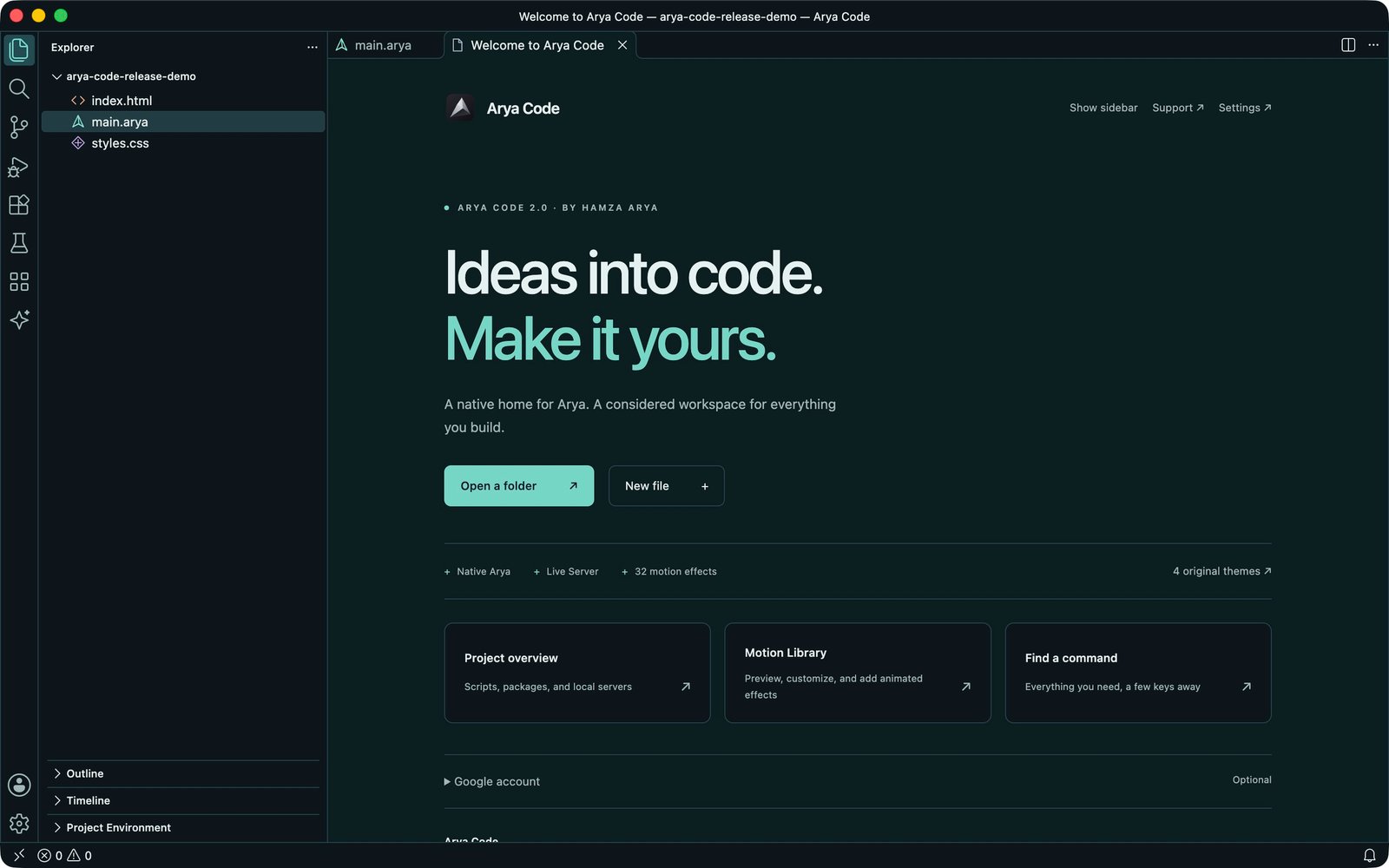
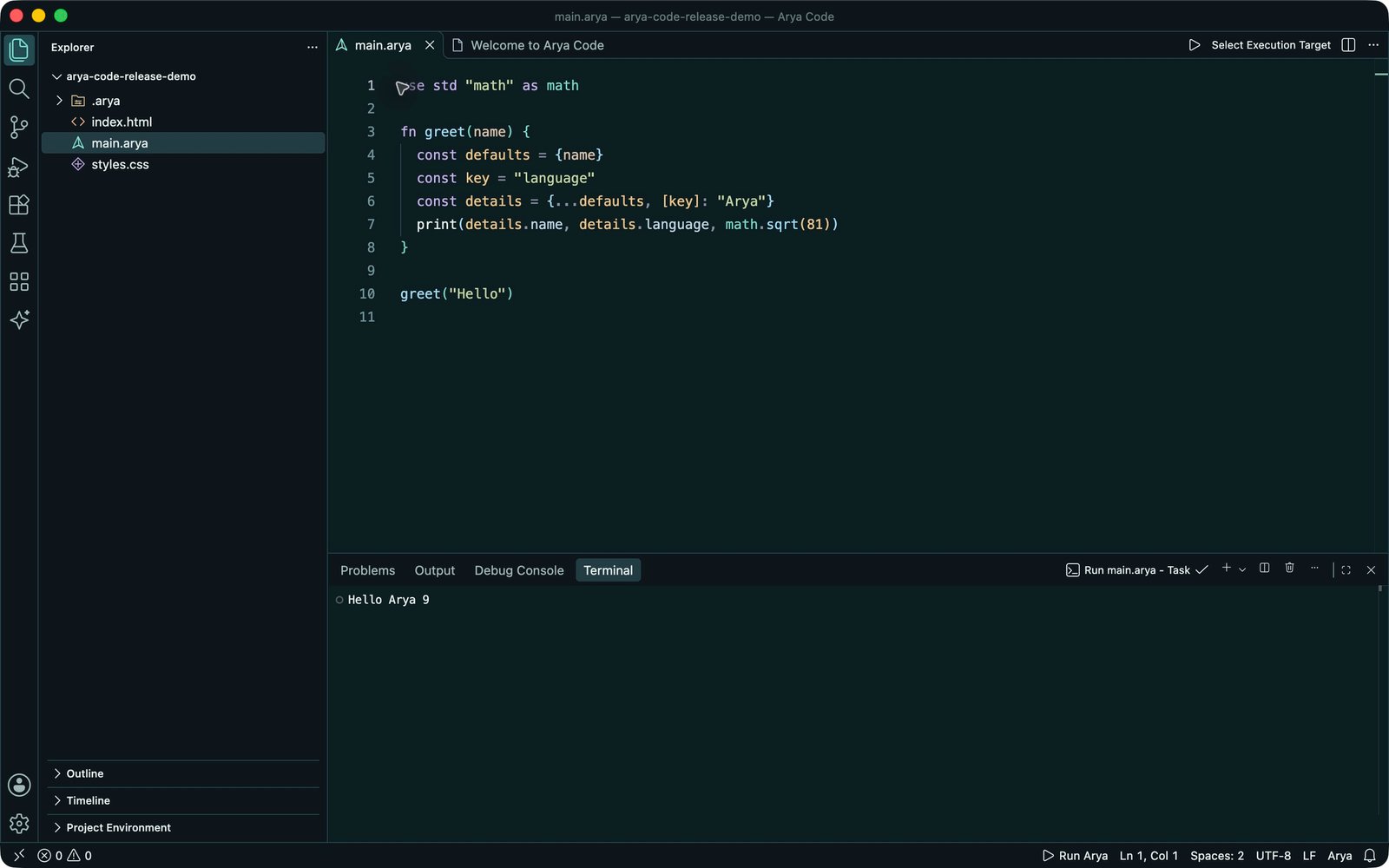
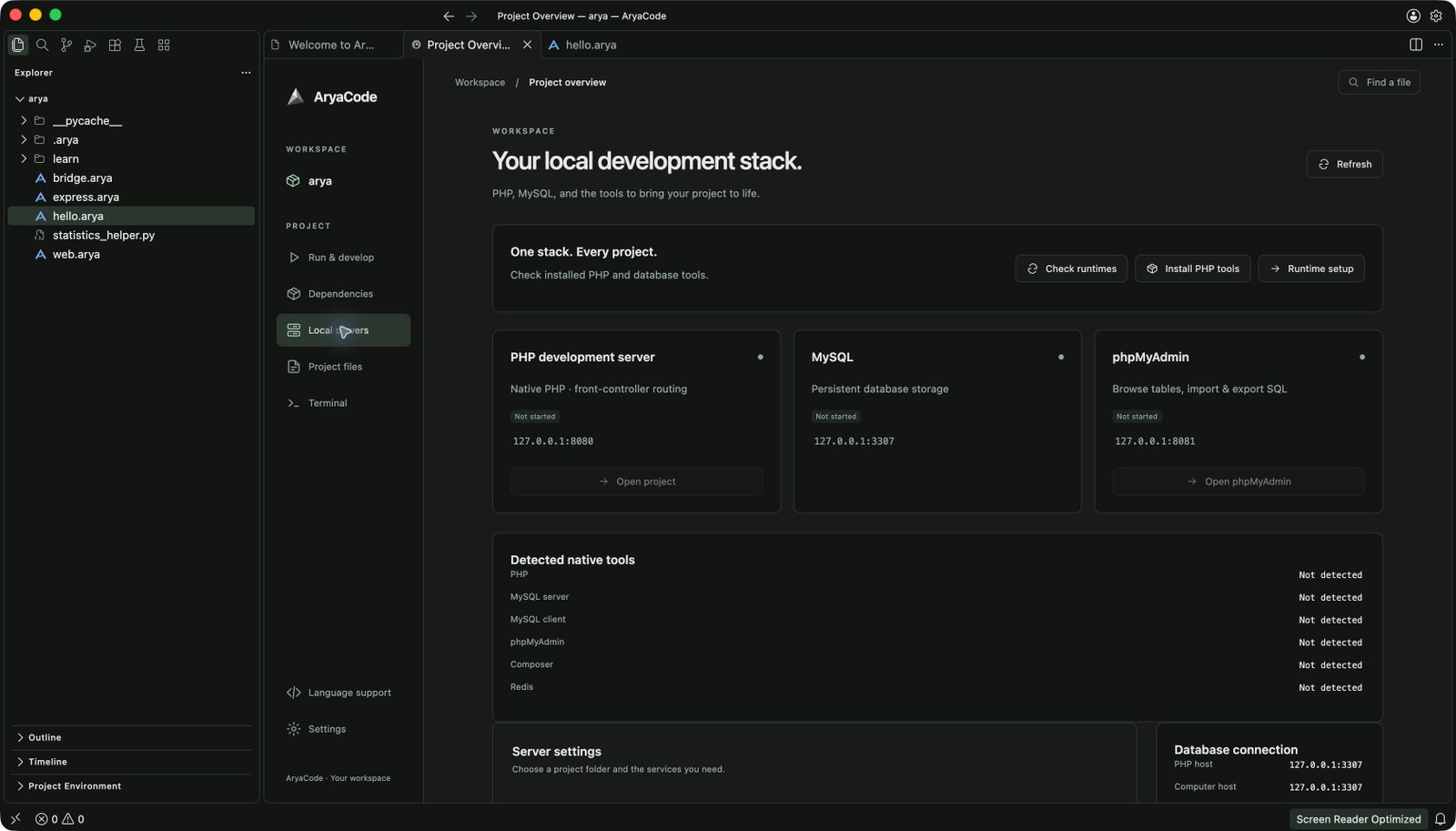
Project interface captures · design and implementation
The challenge
Moving between an editor, language runtimes, package scripts and local servers makes starting a project harder than it needs to be.
The approach
Give Arya Code its own identity by Hamza Arya, integrate native Arya 2.0 language services and formatting, and keep running project code behind workspace trust. Bring Live Server preview and local PHP and database services into Project Overview.
The result
Arya Code 2.0 adds four themes, two SVG icon packs and 32 editable motion effects, with native Arya editing and a custom formatter. Fresh 2.0 home and editor captures show a native program printing “Hello Arya 9” with zero reported Problems; the server screenshot documents an earlier release. Verified Mac and Windows download availability is listed below. Copyright 2026 Hamza Arya.
Your next workspace.
Arya Code 2.0.0 is available for Apple silicon Macs and Windows x64. Check the platform requirements below.
Arya Code for Mac
macOS 26+ · Apple silicon · DMG installer
Open the DMG, drag AryaCode.app into Applications, then launch it from Applications. This installer runs independently of the source checkout.
This build is ad-hoc signed and has not been notarized by Apple. macOS may block a downloaded copy.
Release notes · v2.0.0Arya Code for Windows
Windows x64 · Portable ZIP
Extract the entire ZIP, then launch AryaCode.exe. Keep the bundled resources and runtimes beside the executable. This Windows release is unsigned.
Native Arya on Windows requires a separately installed matching native SDK and C compiler. The JavaScript compatibility profile is included. Check native SDK availability
Apple silicon and Windows x64 downloads are available above. Intel Mac qualification is pending.
Arya formatter for Prettier
Prettier 3 · Node.js 22.15+ · matching native Arya 2.0 SDK
Download the npm archive into your project, then install it with Prettier 3:
npm install --save-dev prettier@^3 ./aryacode-prettier-plugin-arya-2.0.0.tgz
npx prettier --plugin @aryacode/prettier-plugin-arya --write main.arya
Install a matching native Arya 2.0 SDK for your operating system. Set the absolute SDK executable in aryaCompilerPath or ARYA_COMPILER_PATH, or put the installed native SDK on PATH. The plugin does not include the SDK; Windows SDK setup is separate from the desktop download.
Copyright 2026 Hamza Arya · MIT License included. Check native SDK platform availability · Verify SHA-256 checksum
The packages below are the earlier Node.js language preview. Native Arya 2.0 uses its matching SDK and the built-in Arya Code tooling.
Complete editor kit
Compiler, language server, VSIX and editor configurations in one ZIP.
Extract ZIP · Node.js 22.15+ to run codeDownload ZIP — Complete editor kitArya language extension
Syntax, diagnostics, completion and Run / Check / Stop for compatible editors.
Install from VSIX in a compatible desktop editorDownload VSIX — Arya language extensionCompiler + language server
An installable Node package with the arya and arya-lsp commands.
Node.js 22.15+ · npmDownload TGZ — Compiler + language serverLegacy compatibility packages. Use the matching language version for your project; these downloads do not contain the native Arya 2.0 SDK.
SHA-256 checksumsFrom folder to first run.
Start with the desktop workspace, or bring Arya to the editor you already use.
In Arya Code
- Open a project folder. You can inspect files before trusting the workspace.
- Trust a project you know before running scripts or language tools.
- Use Project Overview for npm scripts and dependencies. Choose a script and click Run.
- For an active source file, choose Run Current File or Ctrl + F5. Output appears in the terminal.
Arya Code 2.0 adds native Arya Run / Check / Build, Format Document and format-on-save compatibility. Select a matching native SDK in Arya settings when needed. Python, C, C++ and C# file actions remain available.
In your editor
- Download the Arya language VSIX.
- Choose Extensions: Install from VSIX in a compatible editor, then select the file.
- Open a
.aryafile. Use Arya: Run File, Check Syntax or Stop File.
The downloads above target the legacy Node.js preview. Native Arya uses its own SDK, checker and formatter. Follow the native course for the current language setup.
Download editor setup guideRun native Arya from your terminal
Install the matching native Arya 2.0 SDK, then run these commands in your project. The bundled Mac SDK requires macOS 26+ on Apple silicon:
arya --version
arya check hello.arya
arya fmt hello.arya
arya run hello.arya
arya build hello.arya -o ./hello --release
Native Arya produces a standalone executable through its C11 backend. A compatible C toolchain is required for native builds. The earlier Node.js preview remains a separate compatibility profile.
Preview a website with Live Server
- Open a trusted project folder and select Arya Code: Start Live Server.
- Use Open Live Server to preview the project in your browser.
- Save HTML, CSS or JavaScript changes to reload the page automatically.
- Stop the server from Project Overview or Arya Code: Stop Live Server.
The server binds to your computer’s loopback interface and chooses an available port. PHP applications use the separate PHP service below.
Set up PHP and local databases
- Open a trusted PHP project and choose Local servers in Project Overview.
- Choose Check runtimes. Install PHP tools or select installed runtime paths.
- Install Oracle MySQL separately, or turn MySQL and phpMyAdmin off for PHP-only work.
- Set the document root (
publicfor Laravel/Symfony), choose available ports and start the servers.
On macOS, PHP setup uses an existing Homebrew installation. Each workspace keeps separate database files; servers stop when the workspace closes.
Add language tools and extensions
Choose Arya Code: Add Language Support to browse 34 packs. Review the required SDKs before installing. You can select several packs; shared tools are deduplicated.
Arya Code: Browse Extensions opens the Open VSX store. Extension capabilities and compatibility depend on the selected tool and platform.
Built to feel like yours.
Four original themes, two icon packs and a Motion Library with 32 editable effects, designed by Hamza Arya.
Color with purpose.
Midnight and Aurora offer dark workspaces. Daylight and Sandstone bring two considered light palettes. Spectrum and Outline SVG icon packs provide dedicated light and dark variants.
Motion you can make your own.
Preview and customize 32 effects across text, buttons, cards, backgrounds, navigation, scroll and loaders. Export HTML + CSS or React components, with reduced-motion support and no added dependencies.
Readable code. Familiar tools.
A native language with its own compiler, checker and formatter. Readable source compiles through C11 to a standalone executable, with standard modules for application and service development.
fn greet(name) {
  return "Hello, " + name + "!"
}

for name in ["Arya", "Native", "Your next idea"] {
  print(greet(name))
}use std "fs" as fs
fs.writeTextAtomicSync("notes.txt", "Made with Arya.")
print(fs.readTextSync("notes.txt"))
# Made with Arya.Native standard modules connect language code to practical file, process and application workflows.
Arya Code 2.0 uses native Arya by default. The bundled SDK remains a pinned Arya 2.0 development snapshot. Stable Arya 2.0.0 is now available separately through the native downloads. Arya Code requires macOS 26+ on Apple silicon. Select the JavaScript compatibility profile for older projects; native and legacy examples use different toolchains.
The documentation library.
Download the project’s Markdown guides for the full reference, setup details and current limitations.
Getting started
The desktop workspace, project scripts, bundled tools and source-build instructions.
Learn Arya
Start a native project, run and format source, and find the current language course.
Language reference
Native syntax, functions, standard modules, builds and current limits.
Use your own editor
Install the VSIX, configure the LSP server, or add syntax support to other editors.
Local servers
Static Live Server, live reload, PHP, MySQL, phpMyAdmin and workspace service controls.
Languages & extensions
Choose language packs, check SDK requirements and use the Open VSX store.